

In today’s digital age, virtual learning has become the norm for many schools. While this offers many benefits, it also presents some challenges, especially for students with special needs. Virtual accessibility is essential for ensuring that all students have the same opportunities to learn and succeed.
What is Virtual Accessibility?
Virtual accessibility refers to the design and delivery of virtual learning environments and content in a way that is accessible to all students, including those with special needs. This includes providing accommodations such as ASL interpretation, Braille, and other assistive technologies.

Why is Virtual Accessibility Important?
Equal Access to Education: Ensuring virtual accessibility guarantees that all students, irrespective of their capabilities, can access education. It facilitates the complete participation of students with special needs, allowing them to learn at their pace and access the same materials as their peers.
Improved Student Outcomes: Proper accommodation can significantly enhance academic performance. Studies have shown that students with special needs who have access to appropriate accommodations perform better academically. For example, a study by the National Deaf Children’s Society found that Deaf students who had access to ASL interpreters in the classroom outperformed Deaf students who did not have access to ASL interpreters.
Inclusive Learning Environments: Virtual accessibility can help to create a more inclusive and equitable learning environment. When all students feel welcome and supported, they are more likely to be engaged and motivated to learn.
Real-Life Implementations of Virtual Accessibility
Here are a few real-life examples of how schools and universities are using ASL, Braille, and other assistive technologies to improve virtual accessibility:
- A nationwide Online Academy developed by the American School for the Deaf (ASD): This platform is the first accessible online education platform designed specifically for deaf and hard of hearing students. The Online Academy offers part-time core curriculum classes to supplement a student’s current educational programs, with plans to expand into a full-time online program including diverse courses, curriculum offerings, extracurricular activities, and support services.
- The Texas School for the Blind and Visually Impaired: It is a public school for students who are blind or visually impaired. The Texas School for the Blind and Visually Impaired provides Braille and other assistive technologies to all of its students, which allows them to access the same materials and participate fully in class.
- The University of Central Florida: It is a public university that offers a variety of online and hybrid courses. The University of Central Florida provides CART (Communication Access Realtime Translation) services for all of its online and hybrid courses, which allows Deaf and Hard of Hearing students to access the spoken content of the courses.
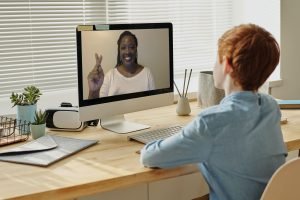
Steps to Ensure Virtual Accessibility
There are a number of steps to virtual accessibility. Here are a few tips:
- Start with a Plan. Before you begin creating virtual learning materials or environments, take the time to develop an accessibility plan. This will help you to identify the needs of your students and ensure that your materials are accessible to all.
- Use Accessible Design Principles. When creating virtual learning materials and environments, follow accessible design principles. This means using high-contrast colors, large fonts, and alternative text for images.
- Provide Accommodations. Offer accommodations such as ASL interpretation, Braille, Captioning, and other assistive technologies to students with special needs. This will help them to access the same materials and participate fully in class.
- Test your Materials. Once you have created your virtual learning materials, test them to ensure that they are accessible to all students. You can do this by using assistive technologies or by asking students with special needs to review your materials.
Bonus Tips
Here are a few bonus tips for improving virtual accessibility in your school:
- Train your Staff. Make sure that all of your staff are trained on virtual accessibility best practices. This will help them to create accessible materials and deliver accessible instruction.
- Get Feedback from Students. Ask students with special needs for feedback on your virtual learning materials and environments. This will help you to identify areas where you can improve.
- Be Flexible. Be willing to adjust your virtual learning materials and environments to meet the needs of your students. No two students are the same, so it is important to be flexible and accommodating.
Frequently Asked Questions
- How can teachers be trained effectively in virtual accessibility?
Regular workshops and hands-on training sessions can make a significant difference.
- How often should materials be tested for accessibility?
As regularly as possible, especially when new content is introduced.
Engage with Us: Have experiences or stories related to virtual accessibility in schools? We’d love to hear! Share your insights in the comments below.
How Can We Assist?
If you are looking for ways to improve virtual accessibility in your school, Bromberg & Associates can help. We offer a variety of accessibility services, including ASL interpretation, Braille, and CART services. We can help you to create a more inclusive and accessible learning environment for all students, regardless of their abilities.
To learn more about our ASL interpretation services, please visit our website or contact us today.